
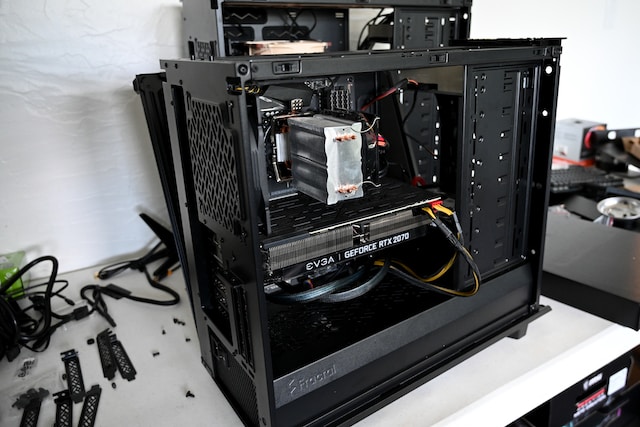
Custom Crafted or Off-the-Shelf: The Pros and Cons of Building vs Buying Your PC
Introduction to building vs buying a PC
When it comes to getting a new computer, one of the first decisions you'll have to make is whether to build your own PC or buy a pre-built one. Both options have their advantages and drawbacks, so it's important to consider your needs and priorities before making a decision. In this article, we'll explore the pros and cons of both building and buying a PC, and provide some guidance to help you make the right choice for you.
Pros of building your own PC
Building your own PC can be a rewarding experience for tech enthusiasts and those who want complete control over their computer's components. One of the biggest advantages of building your own PC is the ability to customize every aspect of it. From choosing the processor and graphics card to selecting the amount of RAM and storage, you have the freedom to build a computer that perfectly matches your needs and budget.
Another advantage of building your own PC is the potential cost savings. By sourcing your own components and assembling them yourself, you can often get a more powerful computer for the same price or even less than a pre-built one. Additionally, building your own PC allows you to future-proof your system by easily upgrading individual components as needed, rather than having to replace the entire computer.
Lastly, building your own PC can be a fun and educational experience. It allows you to learn about the inner workings of a computer and gain a deeper understanding of how hardware components interact with each other. It can also be a creative outlet, as you have the opportunity to design a unique and visually appealing computer.
Cons of building your own PC
While building your own PC offers many advantages, there are also some drawbacks to consider. One of the main disadvantages is the time and effort required. Building a PC from scratch can be a time-consuming process, especially if you're new to it. You'll need to research and select compatible components, assemble them correctly, and troubleshoot any issues that arise.
Another potential drawback is the lack of warranty and customer support. When you build your own PC, you're responsible for troubleshooting and fixing any hardware problems that occur. This can be challenging if you're not experienced with computer hardware, and you may not have access to the same level of technical support that you would with a pre-built PC.
Lastly, building your own PC can be intimidating for those who aren't tech-savvy or have limited knowledge of computer hardware. It requires a certain level of technical expertise, and if you're not comfortable with that, you may find the process overwhelming and frustrating.
Pros of buying a pre-built PC
Buying a pre-built PC offers its own set of advantages. One of the biggest benefits is convenience. With a pre-built PC, all the hardware components are already assembled and ready to use. This can save you a significant amount of time and effort compared to building your own PC. You can simply plug in the computer and start using it right away.
Another advantage of buying a pre-built PC is the warranty and customer support. Most reputable manufacturers offer warranties on their pre-built computers, which can provide peace of mind in case something goes wrong. Additionally, if you encounter any issues or need technical assistance, you can rely on the manufacturer's customer support to help you resolve the problem.
Pre-built PCs also often come with software and additional features that may not be available or easy to obtain if you build your own PC. For example, some pre-built PCs come with pre-installed operating systems, productivity software, and other useful programs. This can save you the time and hassle of installing and configuring software yourself.
Cons of buying a pre-built PC
While buying a pre-built PC may offer convenience and support, there are also some downsides to consider. One of the main drawbacks is the lack of customization options. When you buy a pre-built PC, you're limited to the components and configurations available from the manufacturer. This means you may not be able to get exactly what you want or need, and you may have to compromise on certain features or performance capabilities.
Another potential disadvantage of buying a pre-built PC is the cost. Pre-built computers often come with a higher price tag compared to building your own PC with similar specifications. This is because the manufacturer needs to cover the costs of assembly, testing, and support.
Lastly, buying a pre-built PC may not offer the same level of satisfaction and pride of ownership as building your own PC. For those who enjoy the process of researching and selecting components, building a PC can be a fulfilling experience. With a pre-built PC, you miss out on the sense of accomplishment that comes from creating something yourself.
Factors to consider when deciding to build or buy a PC
When deciding whether to build or buy a PC, there are several factors you should consider:
Budget: Determine how much you're willing to spend on a new computer and compare the cost of building your own PC versus buying a pre-built one.
Customization: Consider how important it is for you to have complete control over the components and design of your computer.
Technical expertise: Assess your comfort level with assembling and troubleshooting computer hardware.
Time and effort: Evaluate how much time and effort you're willing to invest in building and maintaining a PC.
Warranty and support: Decide how important it is for you to have access to warranty coverage and customer support.
By carefully considering these factors, you can make an informed decision that aligns with your needs and preferences.
Cost comparison: Building vs buying a PC
One of the most significant considerations when deciding whether to build or buy a PC is the cost. Building your own PC can often be more cost-effective compared to buying a pre-built one, especially if you're willing to do some research and find deals on individual components.
When you build your own PC, you have the flexibility to choose components that fit your budget and prioritize the areas that are most important to you. This means you can allocate more of your budget towards a powerful processor or graphics card, for example, and save money on other components that have less impact on performance.
On the other hand, buying a pre-built PC may be more expensive upfront, as you're paying for the convenience of having everything assembled and ready to use. However, it's worth noting that pre-built PCs often come with warranties and customer support, which can save you money in the long run if any hardware issues arise.
Ultimately, the cost of building versus buying a PC will depend on your specific requirements and budget. It's a good idea to compare prices and consider the long-term value and potential future upgrades when making your decision.
Customization options: Building vs buying a PC
One of the major advantages of building your own PC is the ability to customize it to your exact specifications. When you build a PC, you have complete control over the components and can choose the ones that best suit your needs and preferences.
From the processor and graphics card to the amount of RAM and storage, you can select each component individually and create a computer that is tailored to your specific requirements. This level of customization is especially beneficial for gamers, content creators, and professionals who need high-performance hardware.
In contrast, buying a pre-built PC often limits your customization options. While some manufacturers offer a degree of customization, it's typically limited to a predefined set of choices. You may be able to select the processor and graphics card from a few options, but you may not have the same flexibility as when building your own PC.
However, it's worth considering that not everyone needs or wants to customize every aspect of their computer. If you have more general computing needs and don't require specialized hardware, a pre-built PC may offer sufficient customization options for your requirements.
Performance and quality: Building vs buying a PC
When it comes to performance and quality, both building and buying a PC have their advantages and drawbacks.
Building your own PC allows you to handpick high-quality components from reputable manufacturers. This means you can prioritize quality and performance over cost, ensuring that you get the best possible hardware for your budget. Additionally, building your own PC gives you the opportunity to fine-tune the system for optimal performance, such as overclocking the processor or adjusting fan speeds.
On the other hand, buying a pre-built PC from a reputable manufacturer can also provide high-quality components and performance. Manufacturers often have relationships with trusted hardware suppliers and perform rigorous testing to ensure that their computers meet certain standards. This can give you confidence in the reliability and performance of the pre-built PC.
It's worth noting that the performance difference between a well-built custom PC and a high-end pre-built PC may not be significant for most users. Unless you have specific requirements that demand the highest level of performance, such as gaming at extremely high frame rates or running resource-intensive applications, a well-chosen pre-built PC should be more than sufficient for your needs.
Technical expertise required: Building vs buying a PC
Building your own PC requires a certain level of technical expertise and comfort with computer hardware. You'll need to be able to select compatible components, assemble them correctly, and troubleshoot any issues that arise.
If you're new to building PCs or don't have much experience with computer hardware, the learning curve can be steep. However, there are many resources available online, such as step-by-step guides and video tutorials, that can help you through the process.
On the other hand, buying a pre-built PC requires minimal technical expertise. You don't need to worry about selecting compatible components or assembling the computer yourself. Simply choose a reputable manufacturer and select a pre-built PC that meets your requirements.
If you're not comfortable with the technical aspects of building a PC or don't have the time and patience to learn, buying a pre-built PC may be the better option for you.
Building your own PC: A step-by-step guide
If you've decided to build your own PC, here's a step-by-step guide to help you through the process:
Research and plan: Determine your requirements and budget, and research compatible components that meet your needs.
Purchase the components: Order the necessary components from reputable retailers or manufacturers.
Prepare your workspace: Clear a clean, well-lit area to assemble your PC and gather the necessary tools.
Assemble the motherboard: Install the processor, RAM, and other components onto the motherboard following the manufacturer's instructions.
Install the power supply: Connect the power supply to the motherboard and other components, ensuring proper cable management.
Install the storage: Connect the hard drives or solid-state drives to the motherboard and secure them in the case.
Install the graphics card: Insert the graphics card into the appropriate slot on the motherboard and secure it in place.
Connect the peripherals: Connect the monitor, keyboard, mouse, and other peripherals to the appropriate ports on the motherboard.
Test and troubleshoot: Power on the computer and ensure that all components are working properly. Troubleshoot any issues that arise.
Install the operating system: Install your chosen operating system and any necessary drivers or software.
Enjoy your custom-built PC: Once everything is set up and working correctly, enjoy using your custom-built PC.
Buying an off-the-shelf PC: Tips and things to look for
If you've decided to buy a pre-built PC, here are some tips to help you make an informed decision:
Research reputable manufacturers: Look for manufacturers with a good reputation for quality and customer support.
Consider your requirements: Determine your specific needs and look for a pre-built PC that meets those requirements.
Read reviews: Look for unbiased reviews of the pre-built PC you're considering to get an idea of its performance and reliability.
Compare specifications: Compare the specifications of different pre-built PCs to ensure you're getting the best value for your money.
Check warranty and support: Look for a pre-built PC that comes with a warranty and reliable customer support in case any issues arise.
Consider upgrade options: If you anticipate the need for future upgrades, look for a pre-built PC that allows for easy component replacement.
By following these tips, you can ensure that you make a well-informed decision and choose a pre-built PC that suits your needs.
Conclusion: Making the right choice for you
In conclusion, the decision to build or buy a PC ultimately depends on your needs, preferences, and level of technical expertise. Building your own PC offers the advantages of customization, potential cost savings, and a hands-on learning experience. However, it requires time, effort, and technical knowledge.
On the other hand, buying a pre-built PC offers convenience, warranty coverage, and customer support. While it may be more expensive upfront and limit customization options, it's a simpler and more accessible option for those who don't have the desire or expertise to build their own PC.
Consider your budget, customization requirements, technical expertise, and time constraints when making your decision. Whether you decide to build or buy a PC, remember that both options can provide a reliable and high-performance computer that meets your needs and enhances your computing experience.
FAQs Unveiled: Your PC Questions Answered
Q: Is building a PC cheaper than buying one?
Generally, building a PC can be more cost-effective, especially for higher-end builds. However, this depends on the components you choose.
Q: How long does it take to build a PC?
For a beginner, it can take several hours to a full day. If you're experienced, it might take a few hours.
Q: Do pre-built PCs come with a warranty?
Yes, most pre-built PCs come with a warranty that covers the entire system, which is a significant advantage over self-built PCs.
Q: Can I upgrade a pre-built PC?
Yes, but the ease of upgrading varies by manufacturer and model. Some systems are more upgrade-friendly than others.
Q: Is it hard to learn how to build a PC?
It can be challenging at first, but there are numerous resources and communities online to help beginners. It's a learning process, but many find it incredibly rewarding.
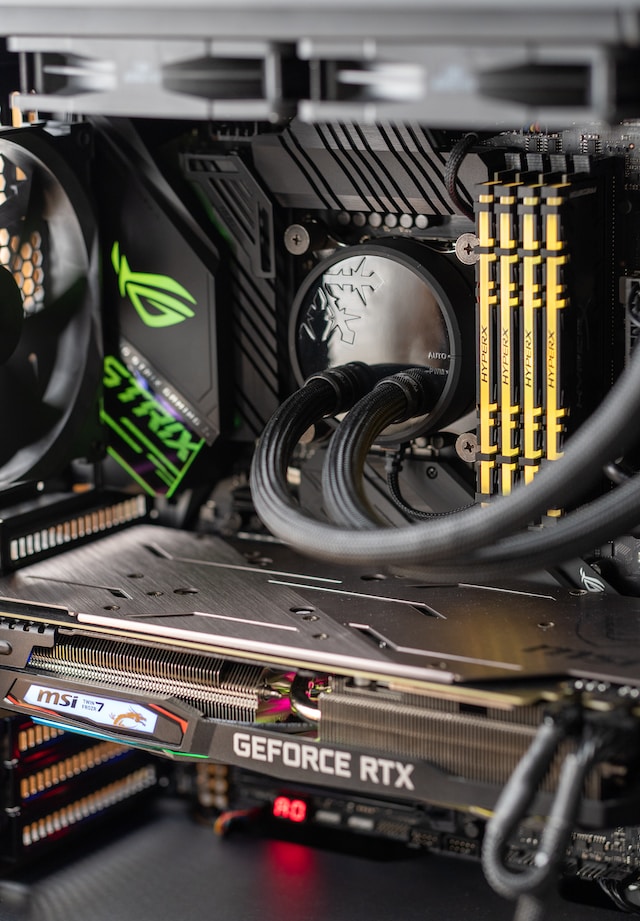
Links to Find More Information
Building vs Buying a PC - Which Is Right For You? from CDW provides a detailed overview of the storage size, CPU power, GPU power, and RAM requirements for both building and buying a PC. It also discusses the advantages and disadvantages of building a PC, such as long-term cost savings, easier fixes, and better overall quality, alongside the challenges it presents.
Should I Buy or Build a PC? 10 Things To Consider from Help Desk Geek delves into ten critical factors to consider when deciding whether to build or buy a PC. It addresses the moderate challenge of building a PC for a non-technical person and highlights issues with prebuilt PCs, such as the unknown quality of certain components.
Custom Build vs Pre-Built Computer: How to Decide For Your Next PC from PC Build Advisor discusses the pros and cons of building a computer, including customization, upgradeability, and cost savings, as well as the technical knowledge required and potential time investment. It also covers the advantages of buying a pre-built computer, such as convenience, time-saving, and reliability.
Should You Build or Buy Your Next Gaming PC? from Tom's Hardware provides an in-depth analysis of the considerations specific to gaming PCs. It helps gamers weigh the benefits of customizing their setup against the convenience of a pre-built system.
Build a PC vs. Buying a Pre-Built PC: What's Best for You? from MUO (MakeUseOf) offers a balanced view, discussing the cost implications, user error risks, and part compatibility issues in building a PC versus the ease of getting a pre-built PC.
Sources:
Main Article Image (cover): Photo by Nathan Anderson on Unsplash
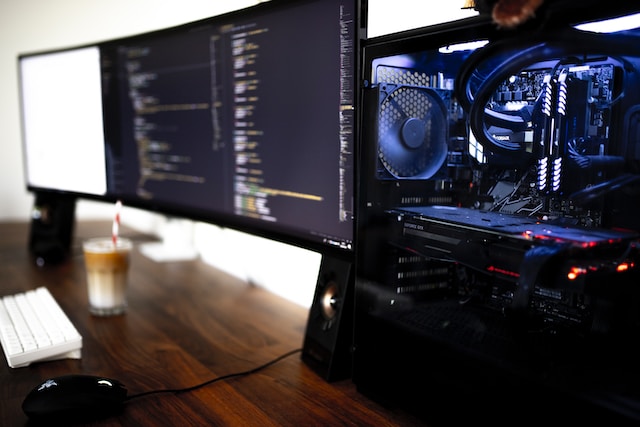
Bottom Left Image: Photo by Caspar Camille Rubin on Unsplash
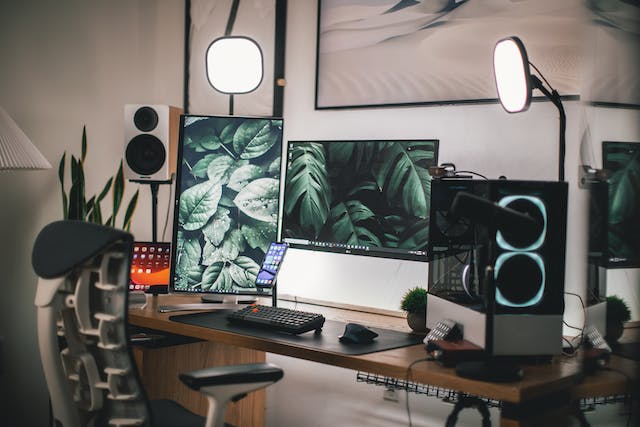
Bottom Right Image: Photo by Roberto Nickson